
Transfer Business Name – What to do as Seller
The transfer runs through ASIC Connect – a free government service and it’s entirely digital now.
You, as the current holder, log in and apply to cancel your existing registration while nominating a transfer. ASIC responds with a consent to Transfer Number. Provide this number to your buyer directly, ideally through your solicitor or business broker to keep a paper trail.
Your buyer then registers, entering the transfer number alongside their own ABN. That ABN must be active and must correctly match their entity type, whether they’re operating as a sole trader, company or trust.
ASIC reserves the name for the buyer temporarily. Miss the window, and the reservation lapses, sending the name back into limbo where anyone could theoretically register it.
One helpful quirk: buyers can typically start trading under the name once they’ve lodged their application, without waiting for ASIC’s register to formally update. Practically, this means signage and invoicing can switch over on settlement day itself.
Ready to Transfer Your Trading Name? Here’s the Process
Log into your ASIC Connect account (this is different to your Auskey Account). If you don’t already have an ASIC Connect account, go ahead and create one by clicking on [Sign up]. It’s free.
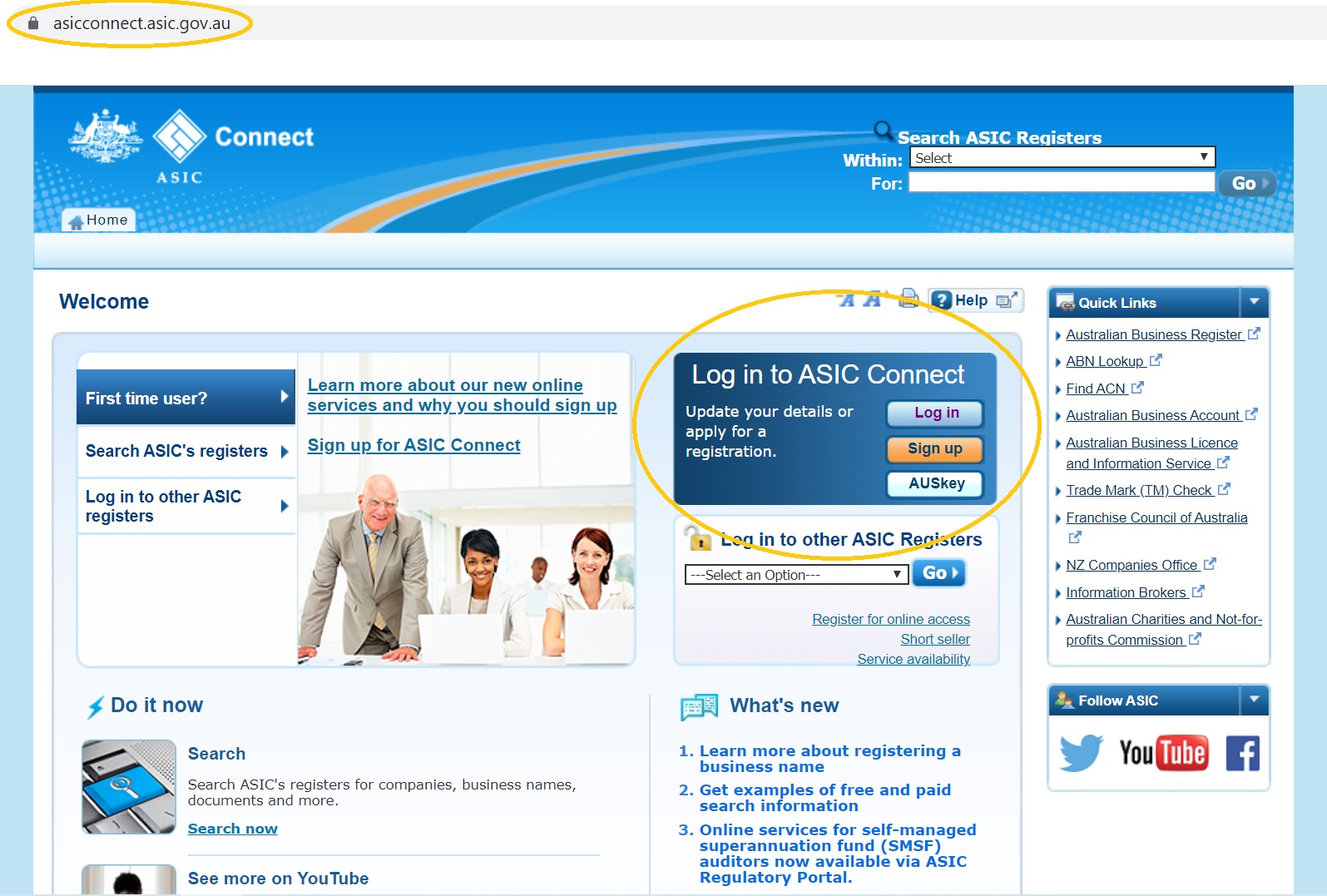
- Once you’re logged into your ASIC Connect Account click on the tab [Lodgements & Notifications].
- Select the Business Name you wish to Transfer from the list provided.
- Then under “Transactions” select “Cancel/Transfer Business Name” and follow the prompts.
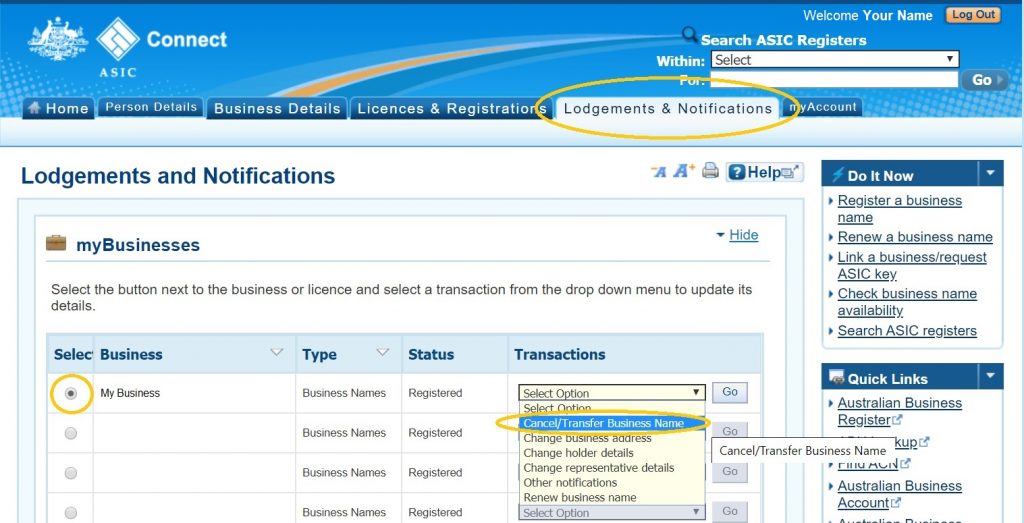
If you can’t see your Business Name from the list you will need to first assign the Business Name to yourself then go back and follow these steps again (to assign the Business Name to yourself follow these steps: Click HERE).
RELATED POSTS
How to Choose the Best Business Broker in Sydney
Search “best business broker Sydney” and you’ll find dozens of lists, most written by theRead More
How to Choose the Best Business Broker in Brisbane
Search “best business broker Brisbane” and you’ll find dozens of lists, most written by theRead More
Comments are Closed